02 · Onboarding
From one intake to ready-to-assess, with a single pause
The firm completes one guided intake. EvidenceEdge saves it, then performs the setup automatically. The only human step is the firm's Microsoft administrator authorizing access. No agents are installed and no passwords are shared.
A · Guided intake
- 1Customer
Account and billing identity: the firm, or an MSP managing several firms.
- 2Organization
Business profile: industry, users, access model, sensitive data, critical operations.
- 3Technology
Environments and tools in scope: Microsoft, AWS, Google, on-premises; for example Entra, Intune, SentinelOne.
- 4Assessment
The initial Risk Register and assessment period.
B · Automatic setup
- Create the customer and organization
The intake is saved first and protected from duplicate submission.
- Record environments and technologies
Each technology's role and collection mode is set.
- Seed organization knowledge
Risks, controls and methodology are populated from the firm's industry library.
- Create the Risk Register
An independent snapshot is created and every copied row is validated.
- Administrator authorizes access
A dedicated app-only application and certificate are provisioned; credentials go to Azure Key Vault.
- Runtime Preflight
The live connection to each source is verified before any evidence is collected.
Result: an industry-based Risk Register, a verified secure connection, and a firm that is ready for its first assessment.
03 · The 12-step assessment
The same twelve steps, every assessment
Every assessment follows one repeatable workflow, from validating the register to the organizational audit. The audit steps are quality gates: results move forward only after their lineage and methodology are checked.
Readiness
Risks, controls, components, decision tables, bindings and framework mappings are complete.
Every required capability has a valid binding and its prerequisites.
Live app-only access to each source is verified.
Evidence
One job per required capability. Evidence is immutable, with full provenance.
Each evidence question has its rules, bindings and evidence in place.
Components
Every evidence question answered: deterministic, hybrid or AI-assisted.
Deterministic check of lineage, required facts and methodology.
Controls
Each control decided once by its decision table.
Each control used the intended component results.
Risk intelligence
A posture with cited findings and priorities for every risk.
"Am I covered?" from all completed risk assessments.
The detailed, evidence-linked audit and its PDF.
Autonomous assessment wrapper
Collection through audit, end to end
Once readiness is confirmed, the wrapper runs evidence collection, component, control and risk evaluation, the organizational advisory and the audit (steps 4, 6, 8, 10, 11 and 12) without manual hand-offs. It is resumable and never reopens finished work.
04 · Evidence collection
Evidence straight from the environment and the tools that protect it
EvidenceEdge collects evidence directly from the platforms a firm runs on and from the security tools that protect it, using secure, read-only, app-only access the firm's administrator authorizes. No agents are installed. Where a source can't be reached automatically, evidence can be supplied by the provider or by management and is labeled that way.
Cloud and IT platforms
Directly from the environment
- AvailableMicrosoft 365Entra ID, Intune, Exchange Online, SharePoint, Microsoft Defender, Microsoft Purview
- In developmentAWS and GoogleCloud identity, configuration and security settings
- SuppliedOn-premisesProvider- or management-supplied evidence
Security and IT tools
From the tools that protect it
- In developmentEndpoint detection and responseFor example SentinelOne and CrowdStrike
- In developmentMSP and security toolingWe are working with an MSP partner to incorporate information from third-party security tools
- AvailableMicrosoft DefenderEndpoint, email and attack-surface protection evidence
People and providers
When it can't be automated
- Provider suppliedThe MSP or vendor supplies the evidence
- Management suppliedThe firm supplies policies, attestations or records
- Manual reviewReviewed by a person and recorded as manual evidence
Each technology in scope is assigned its collection mode during onboarding.
How a collection works
The register decides what to collect, so EvidenceEdge only gathers what its evidence questions actually need.
- Technology
What the firm uses and has in scope, recorded at onboarding.
- Capability
A class of evidence the register's components need, such as "Conditional Access policies" or "device compliance results".
- Operations
The ordered API calls that obtain it, with paging and fan-out.
- Interface
The secure channel: Microsoft Graph, Exchange Online, Purview and SharePoint PowerShell, Defender API.
- Immutable evidence
Stored with its source, binding and time, and never overwritten.
Interfaces, capabilities and operations
In short: the interface is how EvidenceEdge connects, the capability is what evidence it gets, and the operations are the exact calls it makes.
Interface · 6
How EvidenceEdge connects
The technical channel to a source system: how it connects and authenticates, sends requests, pages through results, and captures responses and errors.
Capability · 102
What evidence it gets
One reusable class of evidence, such as Entra Conditional Access Policies or Entra Access Review Definitions. The register works out which capabilities its evidence components need, and each required capability runs as one queued job. One result can feed many evidence components, so it is collected once per run, not once per control.
Operation · 106
The exact calls it makes
One technical step: a single API call or PowerShell command, with its endpoint, permissions and paging. A capability runs one or more operations in order. Most are one-to-one; operations can also be shared between capabilities.
| Interface | How it connects | Capabilities | Operations |
|---|---|---|---|
| Microsoft Graph | Graph REST API, app-only | 65 | 69 |
| Microsoft Exchange Online | Exchange Online PowerShell | 18 | 18 |
| Microsoft Security & Compliance / Purview | Purview PowerShell | 12 | 12 |
| Microsoft SharePoint Online | SharePoint Online PowerShell | 1 | 1 |
| Microsoft Defender for Endpoint | REST API, app-only | 1 | 1 |
| SentinelOne In development | REST API, API token | 5 | 5 |
| Total | 102 | 106 |
Example · one capability, three operations
PIM group assignment schedules
- List the groups (
/groups), once - Read each group's privileged assignment schedules (
/identityGovernance/privilegedAccess/group/assignmentSchedules) - Read each group's members (
/groups/{group_id}/members)
The catalog is everything EvidenceEdge can collect. An assessment runs only what its register needs: 66 to 67 capabilities in recent full assessments.
Every outcome is recorded honestly
- Success: the evidence was obtained.
- Success, empty: the source answered with nothing, which is itself evidence (for example, no access reviews configured).
- License restricted: the firm's licensing doesn't include the feature.
- Failed: documented with the reason, never treated as a security failure.
One job per required capability, run in parallel through queues, so one slow or failed source never blocks the others.
Change the tool, keep the controls
Collection is separate from the risk evaluation methodology. Controls state what should be true; evidence components bind each question to whatever technology the firm uses. Replace one EDR with another and the control and its evaluation stay the same; only the evidence source changes.
The evaluator also knows which in-scope technologies are not yet bound to collection, and names relevant ones in its rationale rather than assuming a gap.
05 · Monthly monitoring, drift and reporting
Not a one-time scan
Cybersecurity isn't static. Policies change, configurations change, and sometimes protections are inadvertently disabled. Ongoing Monitoring reruns the complete assessment each month and compares it with the previous cycle, so the firm sees what changed and why it matters before it becomes an exam finding.
- Run the full assessment
The same 12 steps, from collection through the organizational audit.
- Compare with the previous cycle
Components, controls and risks, side by side.
- Flag significant drift
What got worse, what improved, and what can no longer be confirmed.
- Explain why it matters
Each change traced to the evidence and the cyber risks it affects.
- Report
Updated dashboards and PDFs for leadership, compliance and the MSP.
What drift looks like
- Satisfied→Failed
An evidence question changes: a conditional access policy requiring MFA was disabled.
- OK→Gap
The control that depends on it changes, and every mapped risk sees the same change.
- Protected→Partially protected
The cyber risk's posture changes, with cited findings explaining why.
- Gap→OK
Improvements are tracked too, so remediation work shows up as measurable progress.
Unchanged inputs are reused rather than re-evaluated, and evidence that becomes unavailable is reported as uncertainty, not as a failure.
Reporting
Every report is an interactive dashboard and a matching PDF, built from the same completed assessment:
- Organizational Risk Intelligence Advisory: are we covered, what to fix first
- Organizational Risk Audit: detailed, evidence-linked assurance
- Risk Portfolio: every risk's posture and business impact
- Control Effectiveness: control states and material weaknesses
- Evidence Coverage & Confidence: what was and wasn't evidenced
- Framework & Compliance Alignment: NIST CSF 2.0 and SP 800-53 Rev. 5
Evidence & Assessment History and Risk & Control Trends build up as comparable monthly cycles accumulate.
06 · Industry-focused risks
Every assessment starts from the risks that matter in the firm's industry
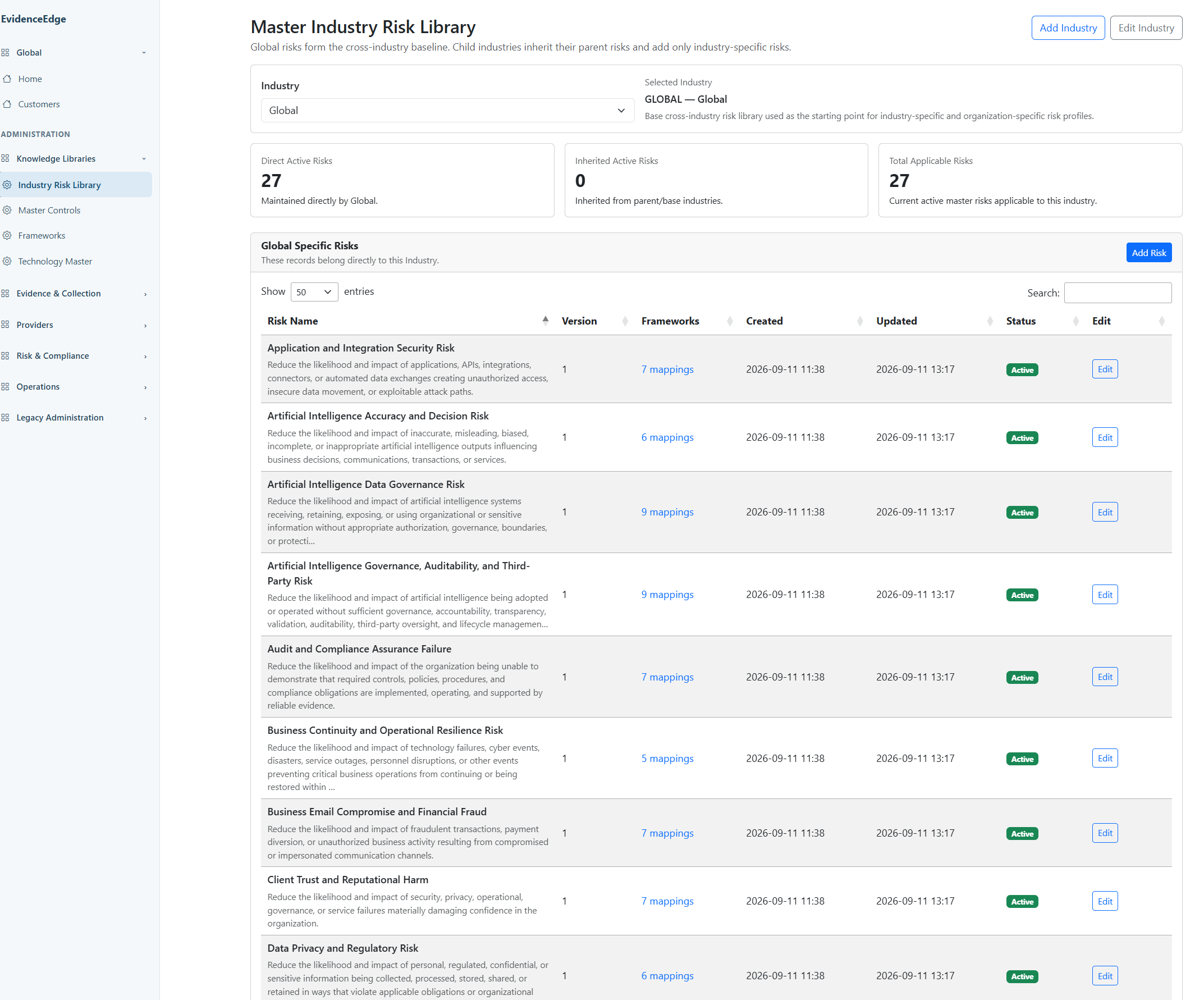
The master industry risk library is a hierarchy. Global risks form the cross-industry baseline; each child industry inherits its parent's risks and adds only its own. A firm's profile selects its industry, and its risk library is seeded from that chain, tailored, then frozen into a register snapshot.
Added by Financial Services
Customer Information Safeguarding and Regulation S-P Compliance Risk
Reduce the likelihood and impact of failing to safeguard customer information, detect and respond to unauthorized access or use, meet applicable customer notification obligations, oversee relevant service providers, and maintain evidence supporting compliance with Regulation S-P requirements.
Identity Theft Red Flags and Regulation S-ID Compliance Risk
Reduce the likelihood and impact of identity theft affecting covered accounts by maintaining an effective program to identify relevant red flags, detect potential identity theft, respond appropriately, and periodically update the program in accordance with applicable Regulation S-ID requirements.
Worked example · a Global risk in the RIA register
Endpoint Security and Device Compliance Risk
- Risk objective
- Reduce the likelihood and impact of unmanaged, insecure, compromised, or non-compliant endpoints being used to access organizational systems and information.
- Risk scenario
- A device lacking required security configuration, protection, encryption, patching, management, or compliance controls connects to organizational resources and becomes a path for compromise or data exposure.
- Business consequence
- Unauthorized access, malware infection, information loss, credential theft, regulatory exposure, operational disruption, and increased incident response effort.
Reduced by 9 controls in this register:
Policies are assigned, but the stated storage-encryption requirement is not enabled in those assigned policies. This is a material limitation in how data-at-rest protection is applied; the evidence does not establish that every affected device is unencrypted.
For RIAs, the library reflects the regulatory themes examiners ask about:
Reusable knowledge
Industry risk hierarchy, provider-neutral controls, evidence components, decision methodology, framework mappings (NIST CSF 2.0, SP 800-53 Rev. 5).
Tailored to the firm
Seeded from the firm's industry chain, then owned by the organization: applicable, management not needed, or a third-party provider control.
Point-in-time snapshot
Risks, controls, components, decision tables and bindings frozen for the assessment. Later library edits never rewrite it.
07 · How Risks, Controls, and Evidence Components Work Together
Connecting cyber risks to measurable security protection
EvidenceEdge starts with the risks an organization needs to manage, identifies the security controls designed to reduce those risks, and determines how effectively those controls are operating by evaluating real-world technical evidence.
These three elements work together:
Risks
What are we trying to protect against?
A risk represents a potential event that could harm the organization, such as unauthorized access to sensitive client information, ransomware, or business email compromise.
Controls
What protections should be in place?
Controls define the security measures intended to reduce those risks, such as requiring multi-factor authentication, restricting external sharing, or protecting endpoints. A single control can reduce several different risks.
Evidence Components
How do we know the protections are working?
Each control is broken into specific, measurable requirements. Evidence Components define the questions EvidenceEdge must answer using collected technical or other supporting evidence. For example, determining whether MFA is enforced requires examining applicable policies, user coverage, exclusions, and enforcement settings—not simply checking whether MFA is enabled.
How the relationships work
A single risk may depend on multiple controls, and a single control may protect against multiple risks. Each control is supported by one or more Evidence Components that collectively determine its effectiveness.
EvidenceEdge collects the required evidence, evaluates individual components against defined decision rules, and combines their results to assess the control. That control assessment can then be used across every risk to which the control is mapped.
The result: EvidenceEdge evaluates security protections once, connects those findings to all affected cyber risks, and produces a consistent, evidence-based understanding of the organization's cybersecurity posture.
A simple example
- RiskClient information is compromised through stolen credentials.
- ControlRequire multi-factor authentication.
- Evidence ComponentsIs MFA enforced? Does it cover the required users? Are exclusions appropriately controlled? Are applicable policies actually enabled?
- EvaluationEvidenceEdge examines the collected settings, applies the configured rules, and determines whether the control is effective, partially effective, or has material gaps.
- Risk IntelligenceThe resulting control assessment contributes to the evaluation of stolen-credential risk, unauthorized-access risk, and other mapped risks—without unnecessarily repeating the same control evaluation.
A real EvidenceEdge assessment
The Demo Organization's Risk Register demonstrates this interconnected model:
Rather than producing 177 separate control assessments, EvidenceEdge can evaluate each unique Register Control once per assessment run and reuse its results across the associated risks.
This is what makes EvidenceEdge different: it connects actual security configuration and effectiveness to the cyber risks management is responsible for overseeing.
Explore the Demo Organization's register
Select a risk to see the controls that reduce it; select a control to see its evidence questions and every risk that reuses its result.
Cyber risks · 29
Controls
Evidence components
08 · What the evidence proves
We don't just check your security settings. We determine what they prove.
EvidenceEdge doesn't just ask whether a control exists. It defines what acceptable protection looks like, what evidence is required to prove it, and how that evidence determines whether the protection is actually satisfied.
- 01What protection is required?The control objective
- 02What conditions must be true?Control states
- 03What evidence establishes them?Evidence requirements and collection rules
- 04What does the evidence demonstrate?Decision rules
- 05What effectiveness is supported?The control conclusion, with its reasons
1 · Control states
What effective protection means
Every control in the register has four state definitions with criteria written for that control: OK Partial Gap Review. The state describes the protection the evidence demonstrates, not whether a product feature is present.
2 · Evidence requirements and collection rules
What must be shown, and from where
Each control is broken into evidence questions. Each question is bound to the capabilities allowed to answer it (primary, supplemental or alternate), with an aggregation rule for combining them. Collection rules decide what evidence is obtained and how.
3 · Decision rules
What the evidence demonstrates
Each question is answered Satisfied, Partial, Failed or Unknown against written criteria and required facts. The control's decision table then selects its state in priority order. Decision rules decide what the evidence demonstrates.
Control states for Strong Authentication and MFA
MC-001's actual state definitions in the Demo Organization register.
| State | What must be true |
|---|---|
| OK | MFA and strong authentication are materially enforced for applicable users, especially privileged users, with no material bypass. |
| Partial | MFA is present but coverage, method strength, privileged protection, registration, exclusions, or bypass prevention is incomplete. |
| Gap | MFA is absent, materially ineffective, or bypassable for a material population. |
| Review | Enforcement scope, authentication methods, privileged coverage, exclusions, or bypass evidence is insufficient or contradictory. |
Six evidence questions decide it, four of them critical: enforcement coverage, privileged protection, method strength, registration and recovery, exclusions and bypass paths, and legacy authentication. MFA Enforcement Coverage accepts Conditional Access as its primary source and Security Defaults as a supplemental one, under the Any Satisfies rule.
A real evaluation · Demo Organization
MC-015 Unmanaged Device Data Access Protection
Required for OK: sensitive data is materially prevented from being downloaded, synchronized, copied, or persisted on unmanaged devices.
Control conclusion
Partial| Evidence question | Bound sources | What the evidence showed | Conclusion |
|---|---|---|---|
| Do access policies materially restrict sensitive data access from unmanaged or untrusted devices? Critical | Entra Conditional Access (primary) | Current policies enforce the restriction. Confidence 100%. | Satisfied |
| Are collaboration, storage and application controls configured to prevent or materially restrict data persisting on unmanaged devices? Critical | SharePoint tenant admin settings (primary), Entra Conditional Access (supplemental) | isUnmanagedSyncAppForTenantRestricted is false; Conditional Access provides some compensating protection. Confidence 70%. | Partial |
MC-015 decision table
- 10 · any question Unknown → Review
- 20 · any question Failed → Gap
- 30 · any question Partial → Partial (matched)
- 40 · all questions Satisfied → OK
Why Partial
The PARTIAL state for this control reads: protections exist but some apps, users, platforms, data, or access paths still permit inappropriate local persistence. The component's FAILED criteria also state that a disabled SharePoint unmanaged-sync restriction alone does not establish FAILED when effective Conditional Access device enforcement prevents the unmanaged path, so the rule weighs compensating protection rather than one setting.
Missing protection
A disabled policy is evidence of a configuration problem: the question is Failed and the control is a Gap.
Missing evidence
A policy that cannot be retrieved is an evidence problem: the question is Unknown and the control goes to Review, never counted as a failure.
Collection rules are separate from decision rules
Collection rules determine what evidence is obtained and how; decision rules determine what it demonstrates. A source can change without changing what the control requires.
| Configuration layer | What it defines |
|---|---|
| Collection interface | The provider and access mechanism, such as Microsoft Graph or Exchange Online |
| Collection capability | A reusable dataset EvidenceEdge knows how to obtain |
| Collection operation | The executable API call or PowerShell command |
| Evidence source binding | Which capabilities may answer a specific evidence question, as primary, supplemental or alternate |
| Aggregation rule | How evidence from several sources is combined: Combined Evidence, All Applicable or Any Satisfies |
09 · Inside the Evaluation Engine
Inside the EvidenceEdge Evaluation Engine: From Evidence to Control State
Pick any cyber risk or any of the 39 controls in the Demo Organization register. Follow it from the protection required, through its state definitions, evidence questions, collection sources and decision rules, to the results recorded in the latest assessment and the final control state.
10 · How the evaluation works
Rules and evidence first. AI where it helps.
Follow one real risk, Identity and Access Compromise, from its definition through its seven mapped controls to its recorded posture. Deterministic rules decide wherever they can; AI is one bounded reasoning step. Missing evidence is reported as uncertainty, never as failure.
Try it · Control Decision Table
Change MC-001's component conclusions and watch the control re-decide
This is MC-001's actual register decision table. Rows are checked in priority order and the first match wins. Row order is methodology, set per control: most controls in this register check UNKNOWN first, while MC-012 checks FAILED first.
| Priority | Rule | Result |
|---|
11 · Product tour
What the team works in every day
Screens from the EvidenceEdge demo organization.